WhatsApp Chat for Breakdance
A floating WhatsApp button that opens a small chat popup with a greeting and one or more people to message. Visitors tap a name and WhatsApp opens with your message already typed.
Hi there! How can we help you today?
An illustration of the chat popup. On your site the button sits in the corner of the screen.
A friendly greeting bubble and a list of people, each with a photo, role and a Start chat button.
Each person gets their own WhatsApp message, so every chat starts with the context you need.
Delay it by a few seconds, open the popup automatically, or limit it to phones or desktop only.
Sends a dataLayer and gtag event on every chat click so you can see which people get the most leads.
Add it to your page in 3 steps
Open your page in Breakdance
In WordPress, go to Pages, hover over your page and click Edit with Breakdance.
Open the element panel
Click the plus button at the top left, then open the BreakUI Pro group and find WhatsApp Chat.
Drag it into your layout
Drop it into a section or container. It loads with sample content so you can see it working right away.
What it looks like in the editor
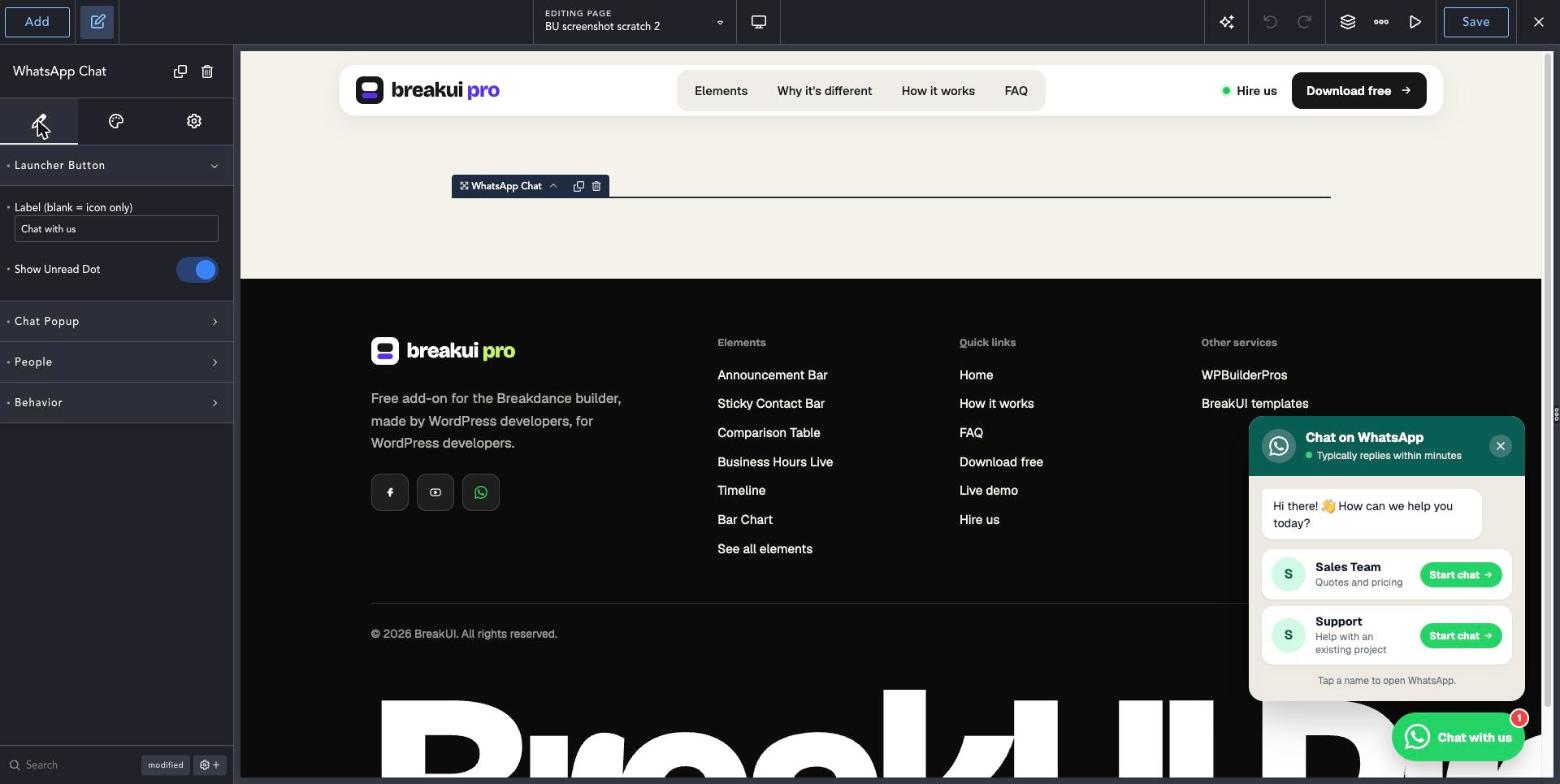
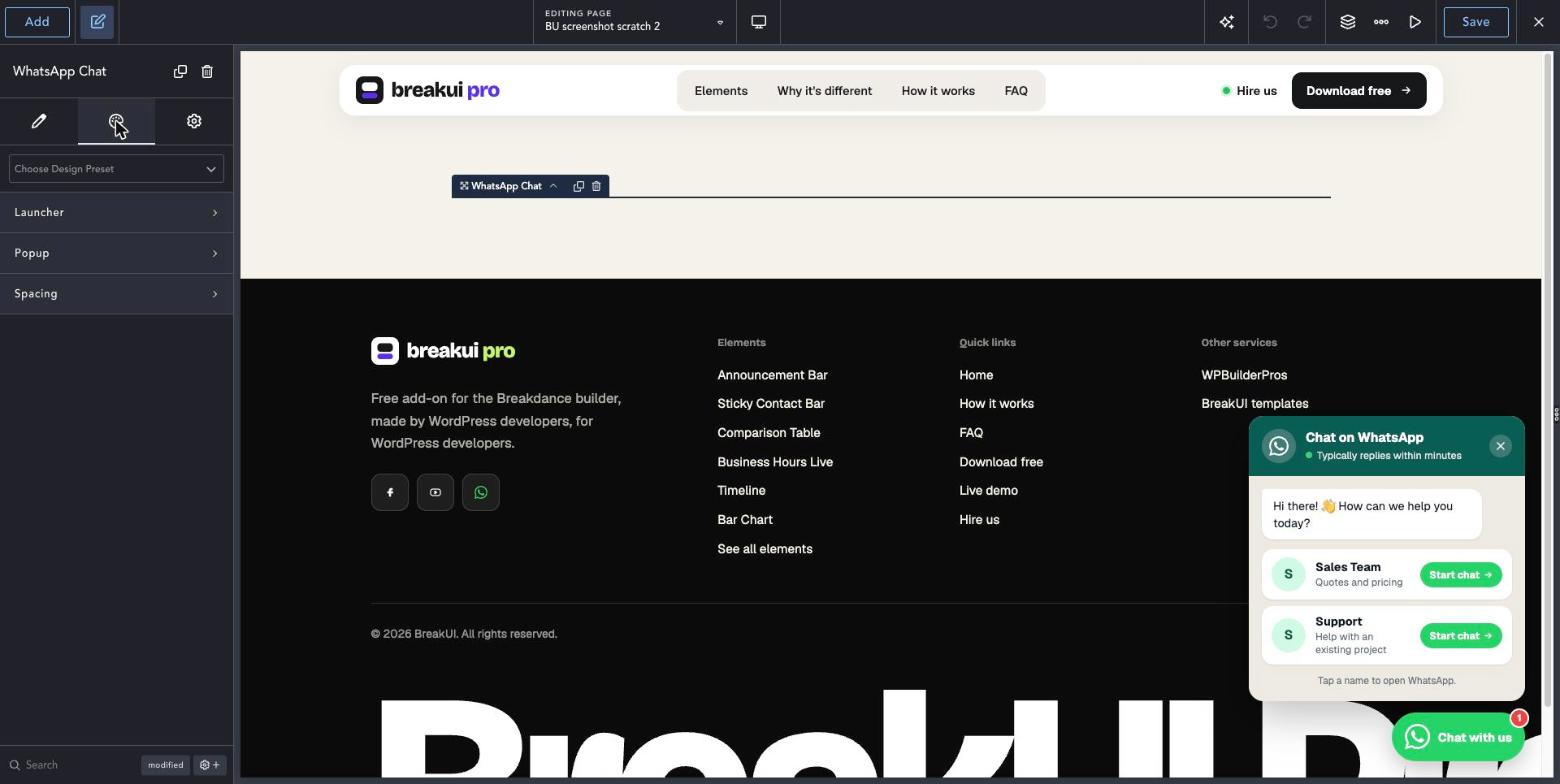
Real screenshots from the Breakdance editor. Select the element, then use the Content tab for your data and the Design tab for the look.
The main settings
Select the element in Breakdance. Everything lives in two tabs.
Your text, items, links and behavior. Change the sample content and you are done.
Colors, typography, borders, spacing and layout, with the normal Breakdance controls.
Set the width in percent, pixels, em, rem, vw or vh, plus max width, min width and alignment.
Style it your way
The Design tab has these groups. Everything uses the normal Breakdance design controls.
Set Show After to a few seconds so the button does not compete with your first screen.
Use Show Only Below Width to show the chat on phones and a normal contact form on desktop.
The element is fixed to the corner of the screen, so place it once and it follows the visitor around the page.