Trust Badge Strip for Breakdance
A strip of logos, icons and numbers that builds confidence. Add animated counters, set a stagger on the entrance and output credential schema if you want it.
-
Licensed & Insured Fully covered for your peace of mind
-
15+ Years in Business Trusted locally since 2011
-
4.9/5 Customer Rating From 600+ verified reviews
-
100% Guarantee Not happy? We make it right
This is the real element, running with its sample content.
Every badge can be an icon, an image or a number with a prefix and suffix, plus a title and subtitle.
Numbers count up when they scroll into view. You set the duration and the thousands separator.
Badges animate in one after another, with a stagger delay you control.
Optionally outputs Organization hasCredential JSON-LD for the credentials you list.
Add it to your page in 3 steps
Open your page in Breakdance
In WordPress, go to Pages, hover over your page and click Edit with Breakdance.
Open the element panel
Click the plus button at the top left, then open the BreakUI Pro group and find Trust Badge Strip.
Drag it into your layout
Drop it into a section or container. It loads with sample content so you can see it working right away.
What it looks like in the editor
Real screenshots from the Breakdance editor. Select the element, then use the Content tab for your data and the Design tab for the look.
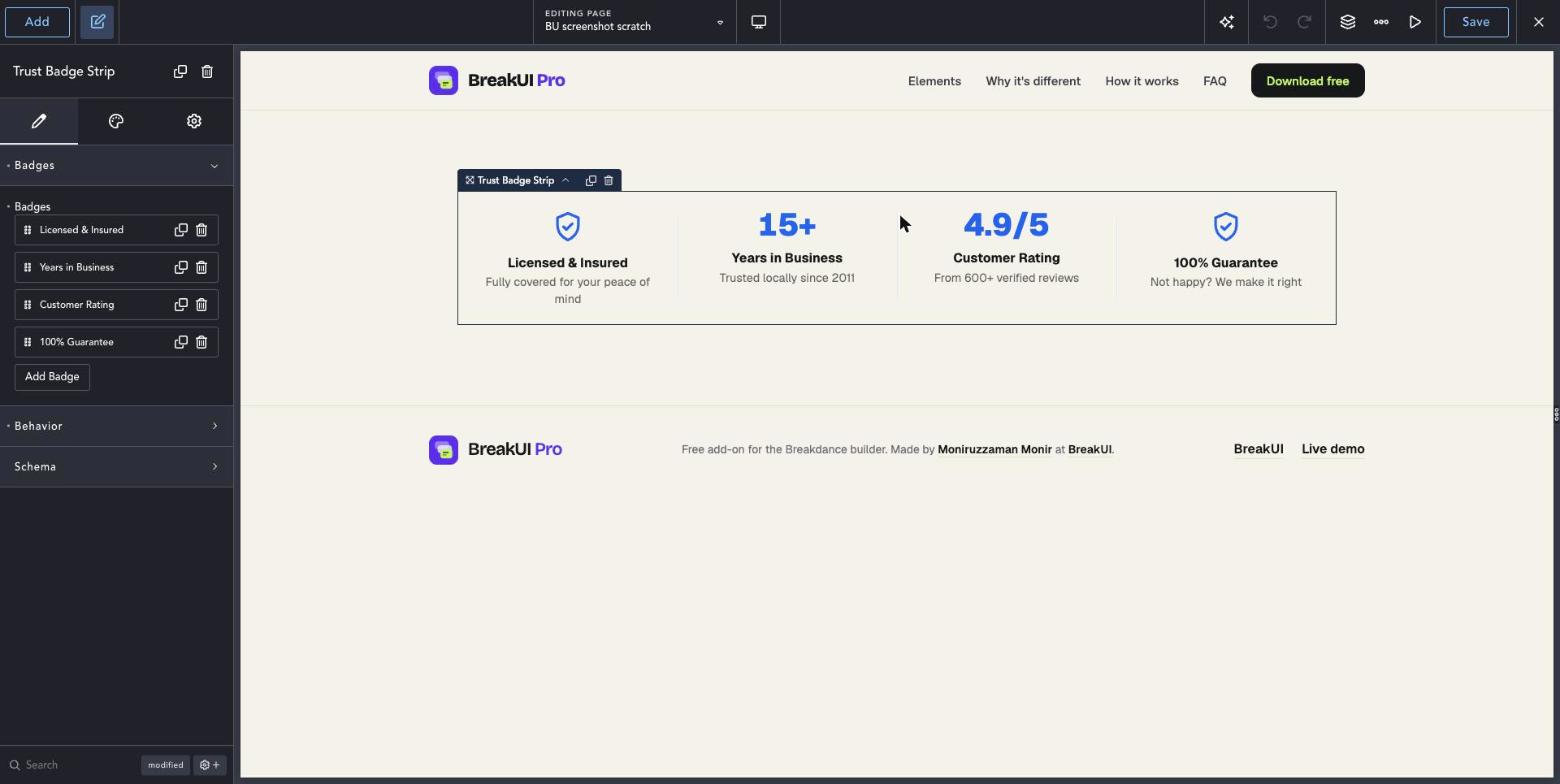

The main settings
Select the element in Breakdance. Everything lives in two tabs.
Your text, items, links and behavior. Change the sample content and you are done.
Colors, typography, borders, spacing and layout, with the normal Breakdance controls.
Set the width in percent, pixels, em, rem, vw or vh, plus max width, min width and alignment.
See it in action
Real renders of the element with different settings.
-
Licensed & Insured Fully covered for your peace of mind
-
15+ Years in Business Trusted locally since 2011
-
4.9/5 Customer Rating From 600+ verified reviews
-
100% Guarantee Not happy? We make it right
Dividers off, no count-up
Style it your way
The Design tab has these groups. Everything uses the normal Breakdance design controls.
Keep badge titles short so four fit in a row on desktop.
Use images for real logos and icons for generic claims.