Timeline for Breakdance
A vertical or horizontal timeline with markers, dates, images and a progress line that fills as the visitor scrolls.
-
2011
Founded
Started as a one-person operation with a single van and a lot of determination.
-
2014
First big contract
Won our first commercial contract and hired our first team members.
-
2018
New workshop
Moved into a larger workshop so we could take on bigger projects.
-
2022
500 projects
Passed 500 completed projects with a 4.9 average customer rating.
-
Today
Still growing
A trusted local name with plans to keep improving every year.
This is the real element, running with its sample content.
Switch layout in one control, with spacing and item width set in the design panel.
Items reveal as they come into view and the line fills with your progress color.
Markers can show an icon or a number, in a shape and size you choose.
Mark any item as the highlight with its own marker background.
Add it to your page in 3 steps
Open your page in Breakdance
In WordPress, go to Pages, hover over your page and click Edit with Breakdance.
Open the element panel
Click the plus button at the top left, then open the BreakUI Pro group and find Timeline.
Drag it into your layout
Drop it into a section or container. It loads with sample content so you can see it working right away.
What it looks like in the editor
Real screenshots from the Breakdance editor. Select the element, then use the Content tab for your data and the Design tab for the look.
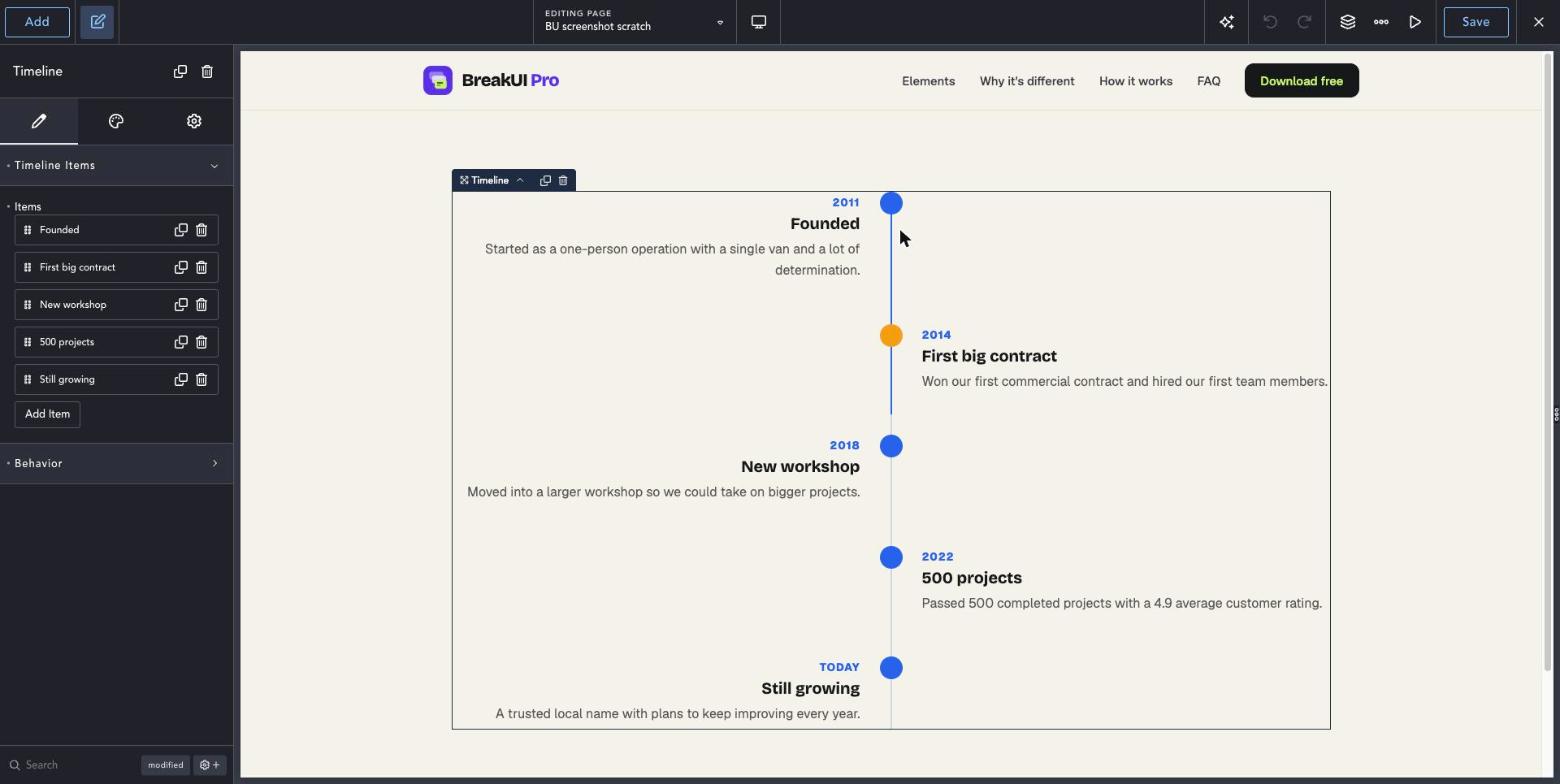
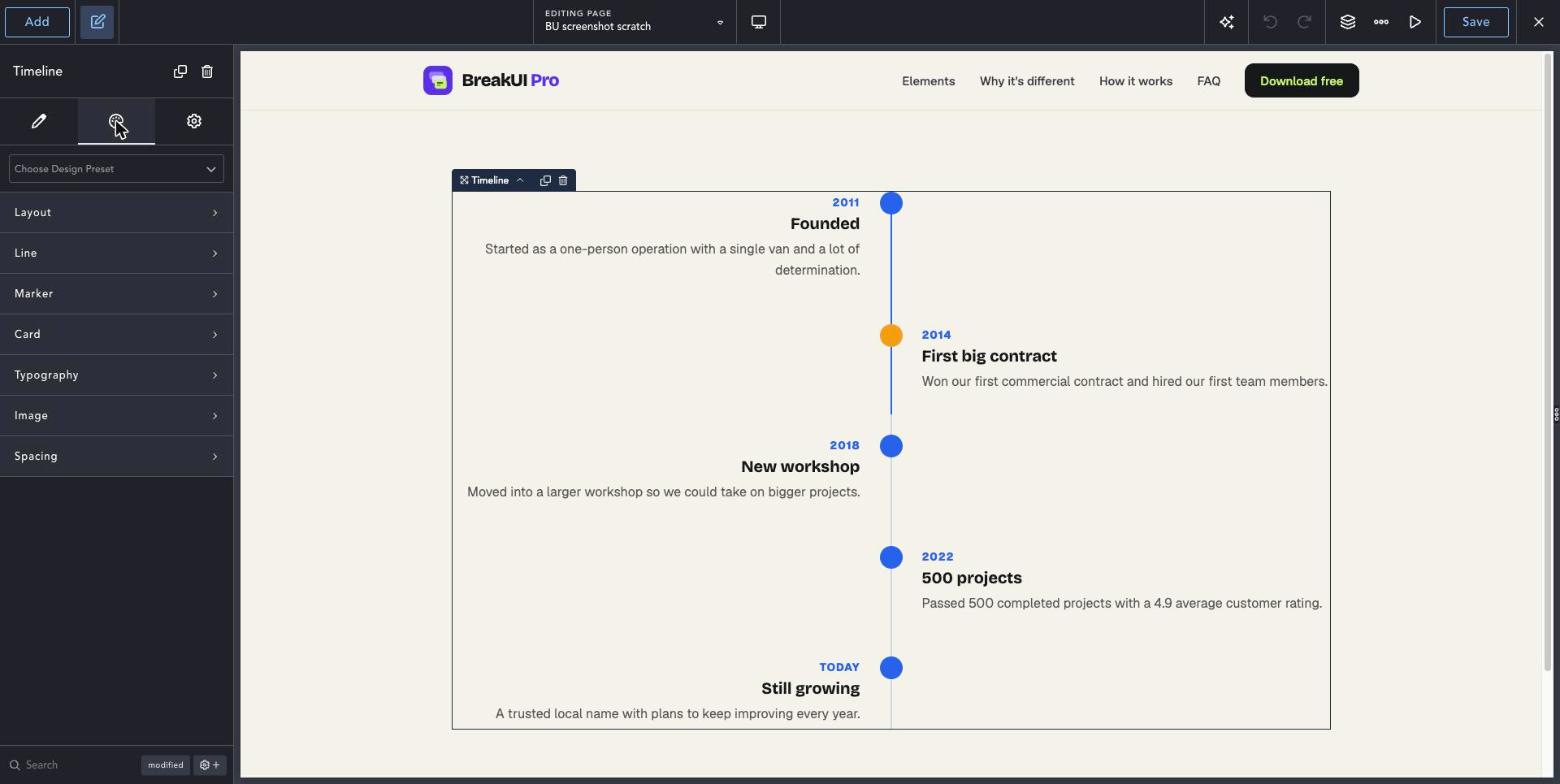
The main settings
Select the element in Breakdance. Everything lives in two tabs.
Your text, items, links and behavior. Change the sample content and you are done.
Colors, typography, borders, spacing and layout, with the normal Breakdance controls.
Set the width in percent, pixels, em, rem, vw or vh, plus max width, min width and alignment.
See it in action
Real renders of the element with different settings.
-
2011
Founded
Started as a one-person operation with a single van and a lot of determination.
-
2014
First big contract
Won our first commercial contract and hired our first team members.
-
2018
New workshop
Moved into a larger workshop so we could take on bigger projects.
-
2022
500 projects
Passed 500 completed projects with a 4.9 average customer rating.
-
Today
Still growing
A trusted local name with plans to keep improving every year.
Line on the left
-
2011
Founded
Started as a one-person operation with a single van and a lot of determination.
-
2014
First big contract
Won our first commercial contract and hired our first team members.
-
2018
New workshop
Moved into a larger workshop so we could take on bigger projects.
-
2022
500 projects
Passed 500 completed projects with a 4.9 average customer rating.
-
Today
Still growing
A trusted local name with plans to keep improving every year.
Horizontal scroll
Style it your way
The Design tab has these groups. Everything uses the normal Breakdance design controls.
Horizontal layout suits short timelines of five items or fewer.
Use the line colors to match your brand.