01
Discover
We learn about your goals, your customers and what is not working today.
Cards that stack on top of each other as you scroll. Each card carries its own label, title, text, image and button.
We learn about your goals, your customers and what is not working today.
A clear scope, timeline and fixed quote before any work begins.
Design and development with regular check-ins so you always see progress.
Testing, training and a smooth go-live with support afterwards.
This is the real element, running with its sample content.
Cards pin to the top and the next one slides over it. You set the offset per card.
Place each card's image left or right, and control its width and fit.
Number the cards automatically and scale the covered card down slightly.
Set a width below which stacking is disabled and cards simply flow.
In WordPress, go to Pages, hover over your page and click Edit with Breakdance.
Click the plus button at the top left, then open the BreakUI Pro group and find Sticky Stacking Cards.
Drop it into a section or container. It loads with sample content so you can see it working right away.
Real screenshots from the Breakdance editor. Select the element, then use the Content tab for your data and the Design tab for the look.
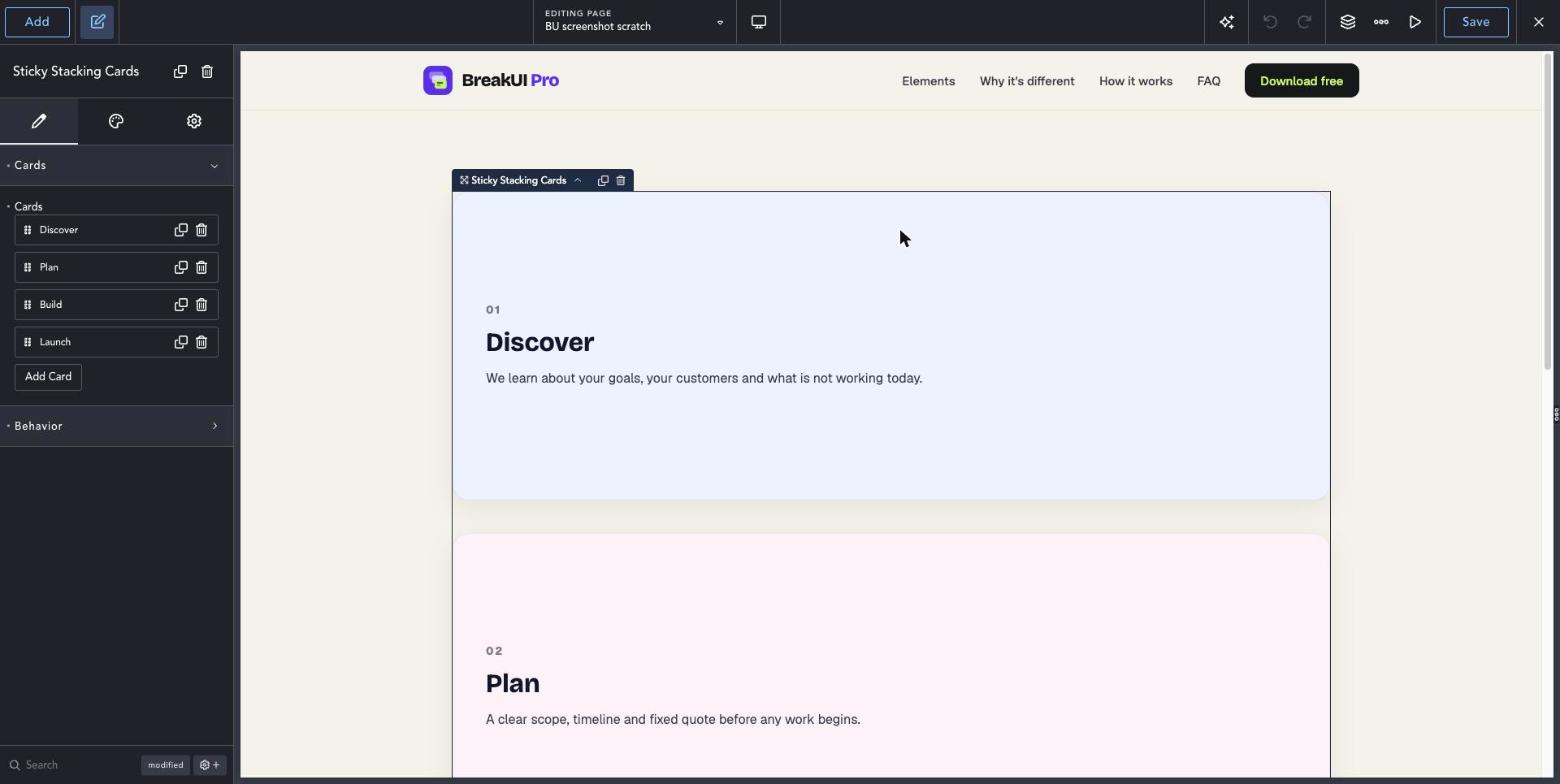
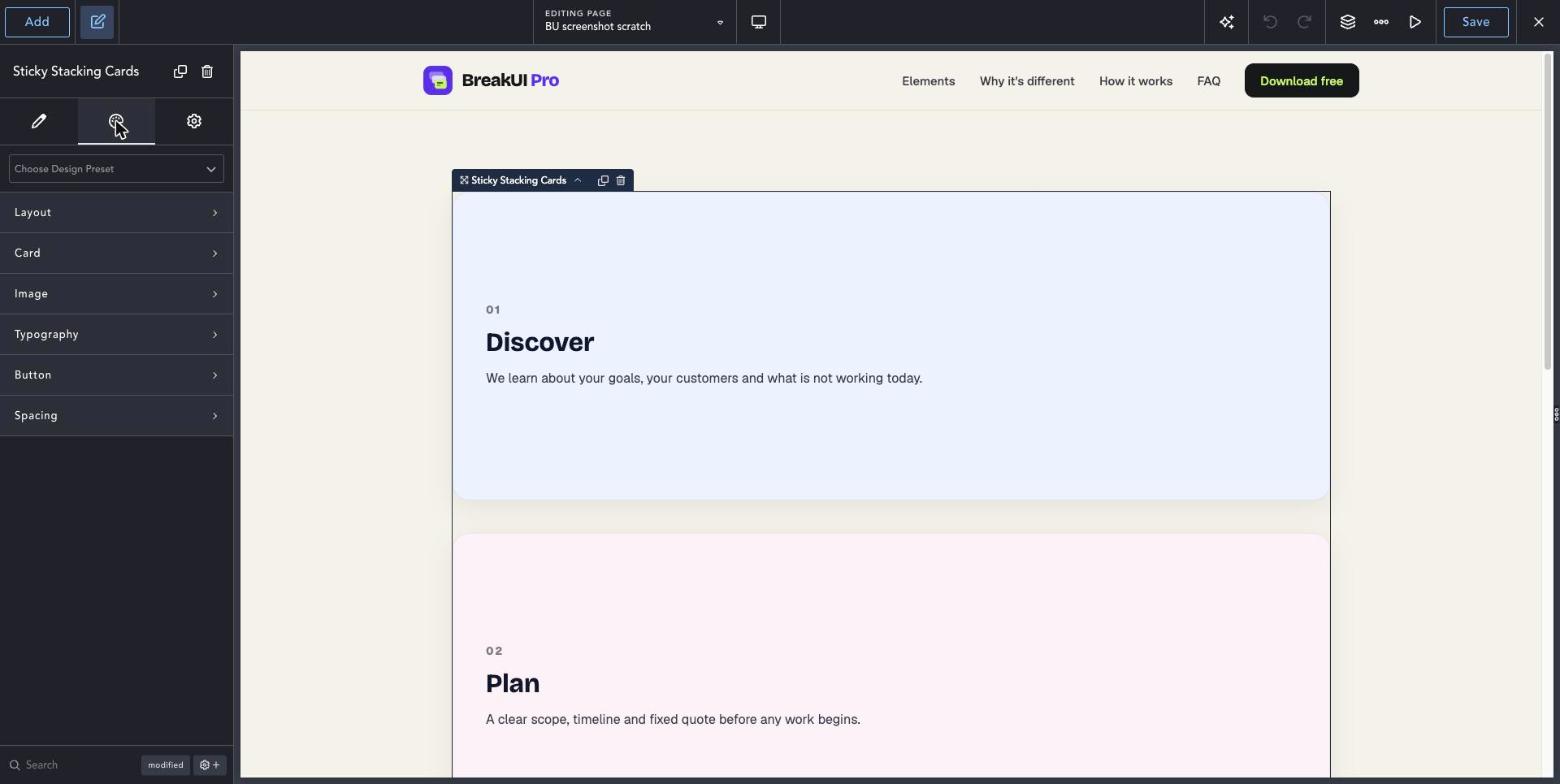
Select the element in Breakdance. Everything lives in two tabs.
Your text, items, links and behavior. Change the sample content and you are done.
Colors, typography, borders, spacing and layout, with the normal Breakdance controls.
Set the width in percent, pixels, em, rem, vw or vh, plus max width, min width and alignment.
The Design tab has these groups. Everything uses the normal Breakdance design controls.
Keep the cards similar in height so the stack looks even.
Increase Stack Offset Per Card to see more of the cards underneath.